
Why Location Matters for Freelancers Working In These States
Some states are not like the others.
Check onboarding progress, prepare payables, and understand payment history through Claude and ChatGPT. Your team keeps final payment approval and execution in Wingspan.
Before a payment run, finance and operations teams need to confirm who is ready to pay, what each worker is owed, and which onboarding requirements remain outstanding. When those answers require manual exports and cross-checks, routine preparation takes time away from the work itself.
An AI assistant introduces its own questions about access and accountability. Without clear boundaries, a request to “just check something” can lead to a shared login or a report pulled without a record of who requested it.
Your team should be able to ask a question and prepare work for review from the AI tools it already uses. Wingspan MCP makes that connection, giving your own assistant permissioned access to supported tasks.
Wingspan brings together onboarding, payments, compliance, and support for 1099 contractors, international contractors, and contingent W-2 employees. That shared context lets a question about onboarding lead naturally into payment preparation.
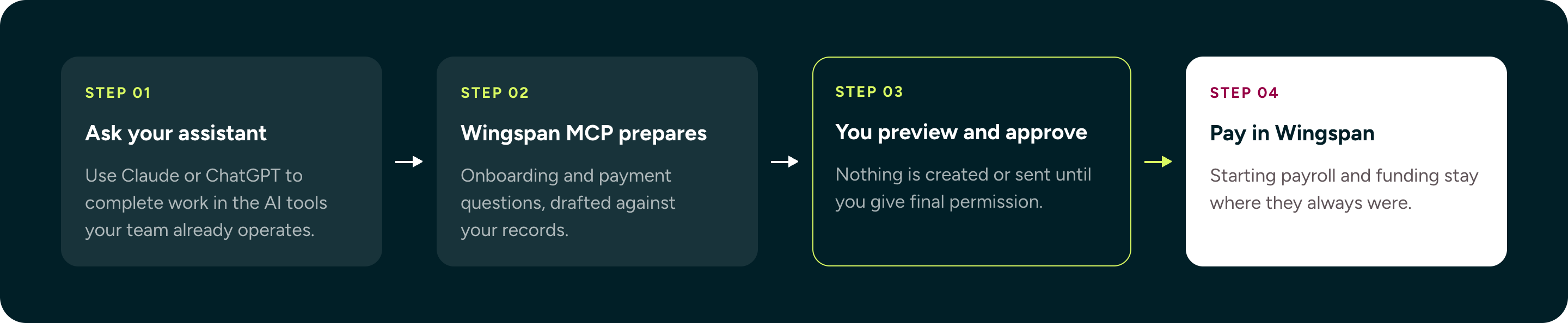
Wingspan’s MCP plugin connects your assistant to your company’s flexible worker and payment records. You can find workers, check onboarding progress, review payment obligations, and prepare changes without leaving the conversation.
Before adding workers, creating draft payables, or opening drafts, Claude or ChatGPT shows you what it plans to do and waits for your approval. The examples below illustrate these workflows.
Search your roster by name, email, company, or your own reference. You can check who has not signed up, identify outstanding paperwork, or ask whether an individual worker can be paid and why.
You ask: “Which workers are missing their certificate of insurance?”
Sample response: “Nurse Charlie has an outstanding certificate-of-insurance requirement.”
This helps your team identify where to follow up. Workers still complete their own steps, such as uploading documents or verifying their identity.
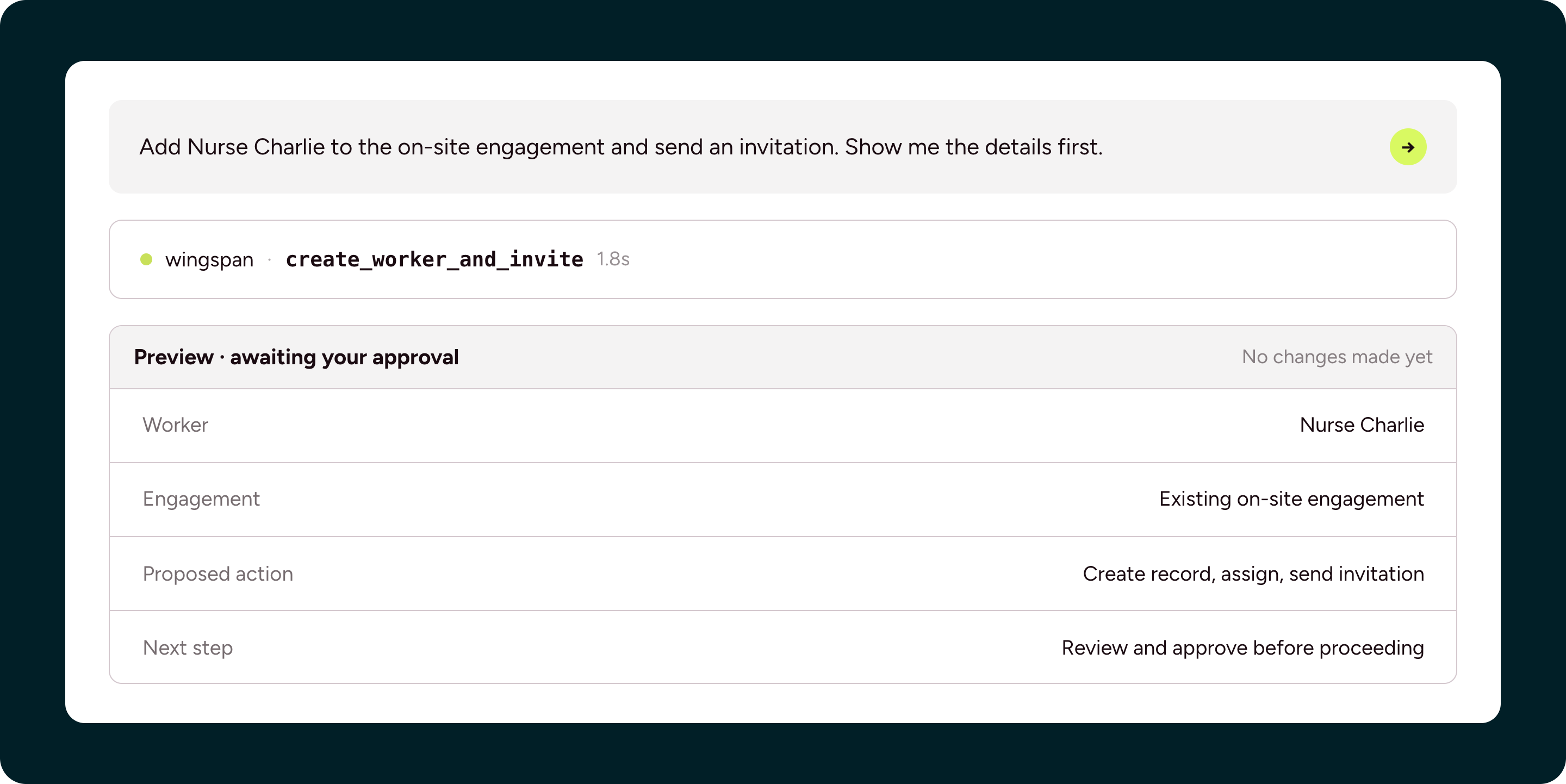
Create worker records, assign an existing engagement, and send invitations.
You ask: “Add Nurse Charlie to the existing on-site engagement and send an invitation. Show me the details first.”
Sample preview:
Review existing payables to answer questions about outstanding obligations or payments made during a particular period. Searching retrieves information without creating or changing a payable.
You ask: “How much do I currently owe my workers in total?”
Sample response: “You currently owe $125,800 across 12 non-canceled payables.”
You can also ask about past activity, such as how much you paid last quarter. Payment searches exclude canceled payables unless you ask to include them.
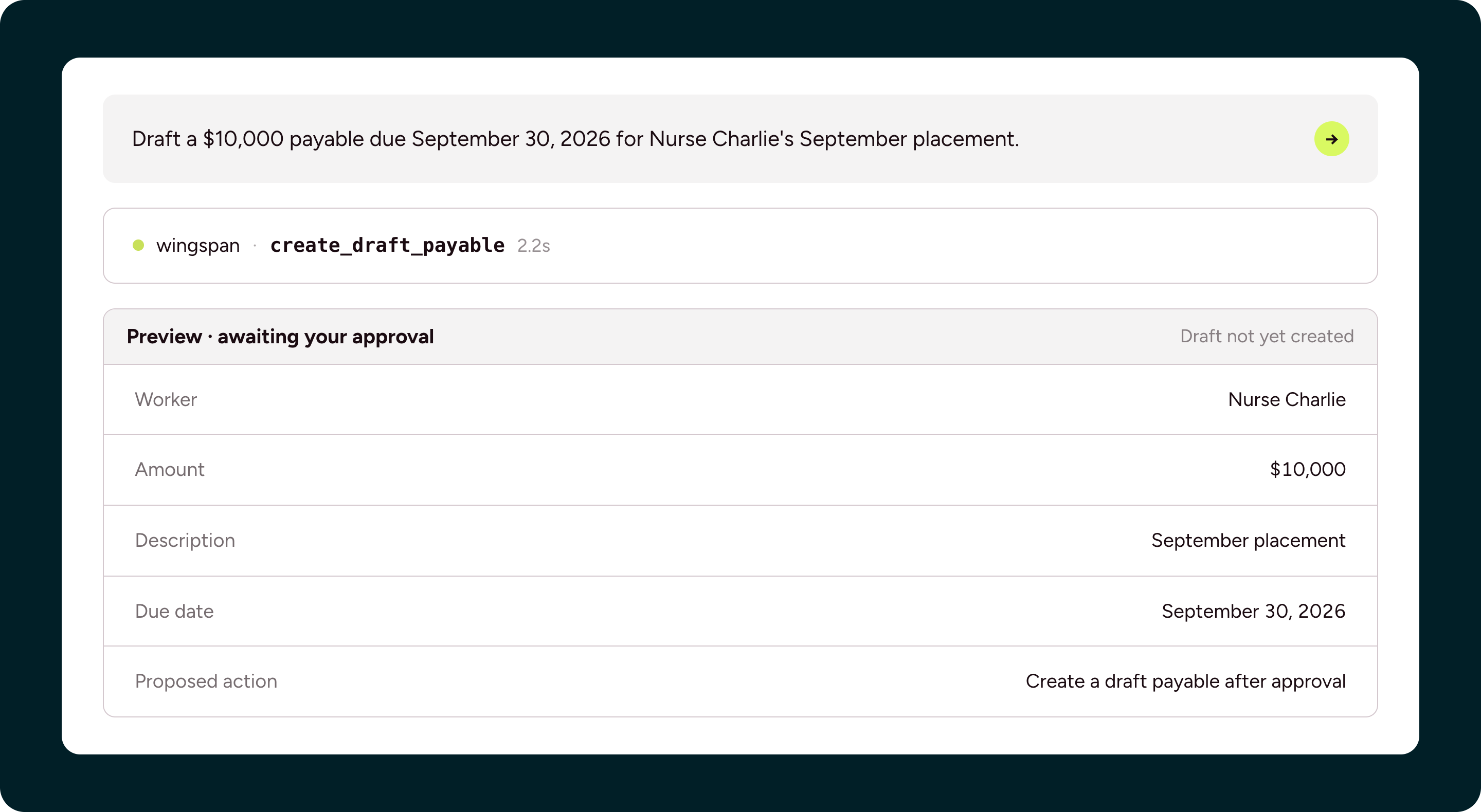
Describe a new payment obligation, including the worker, amount, and due date. Review the proposed details before authorizing the assistant to create it.
You ask: “Create a draft payable for Nurse Charlie’s September placement: $10,000, due September 30, 2026. Show me the preview first.”
Sample preview:
Once created, the payable remains a draft that the worker cannot see, with no payment scheduled.
Look up an individual payable to see its status and history, including changes that help explain what happened.
You ask: ”Have we paid Nurse Charlie in September? Who approved this payment?”
Sample response: Yes, Nurse Charlie has one paid payable in September, paid $500 on 15th of September. Alice Smith approved this payable.”
The assistant reports the information shown in Wingspan’s Payables screen. A confirmed deposit means the sending bank finished processing; it does not establish that the funds are available or final. Further bank-transfer questions belong with Wingspan support.
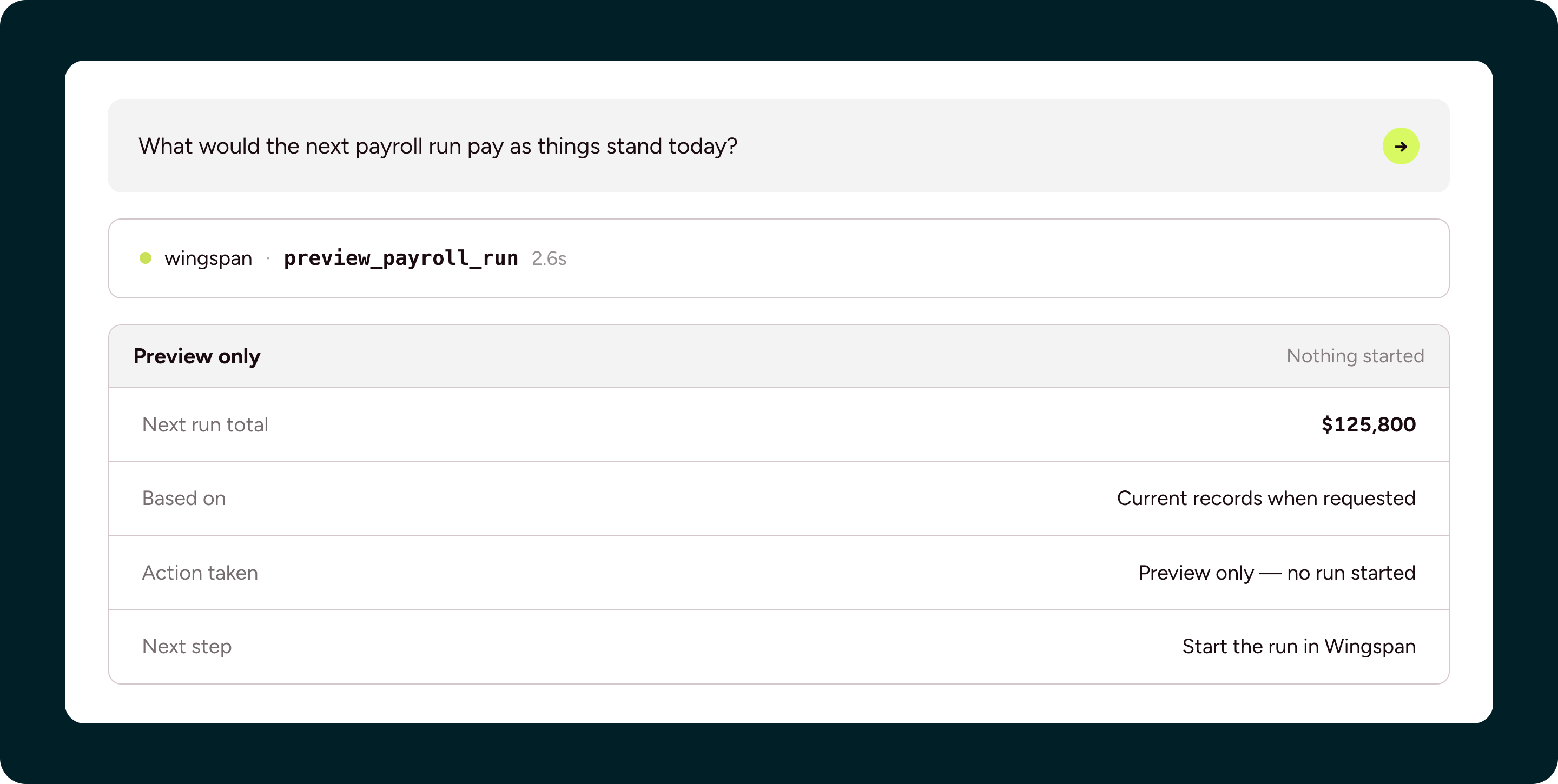
Ask what the next run would pay against your records as they stand today.
You ask: “What would the next payroll run pay as things stand today?”
Sample preview:
A worker completing paperwork, a draft being opened or approved, an edited amount, or a cancellation can change the result. Request a fresh preview after changes or closer to the run. Starting payroll and choosing a funding source stay in Wingspan.
Wingspan MCP gives your assistant defined access to help with daily work, while keeping changes and payment decisions under your control.
Wingspan MCP is launching for free in beta.
Once connected, try a focused first question: “Which workers have outstanding onboarding requirements?” Use the response to decide where to follow up.
Contact the Wingspan team to discuss beta access, get setup guidance, and share the workflow you want to try first.
Some states are not like the others.