
Why Location Matters for Freelancers Working In These States
Some states are not like the others.
Set requirements by engagement, get a flag before coverage lapses, and keep payment tied to a current record.

Credential tracking software keeps each worker's licenses, certificates of insurance, and background checks on file with a status and a renewal date, and gives a warning before one lapses. For flexible workforce networks, Wingspan tracks each credential you require as a requirement, something a worker has to complete before they can be paid, on the worker record, the single profile that holds each worker's engagements, payments, and tax forms.
After a worker is onboarded, how do you know when their credentials expire, and who checks them again?
Take a sample worker, Marcus Lee, a licensed professional counselor who sees patients through a telehealth network. To work, Marcus needs a current Oregon license, professional liability insurance that meets the network's limits, and a background check, each with its own expiration date. When those dates live in an onboarding folder, a spreadsheet, and someone's inbox, a lapsed policy can go unnoticed until a client audit or a claim asks for it.
If the network pays someone whose license lapsed, it has a compliance problem, and if it holds a payment because nobody could confirm the paperwork, it has a counselor who is unhappy with how they get paid.
Each requirement shows where it stands, such as incomplete, pending review, complete, expiring soon, or expired, and your team can see it at any time. Pending review appears when you require your team to approve a requirement, and expiring soon appears when a requirement ends within 30 days. The document, the checks it went through, any override, and the change in eligibility are kept on the worker record.
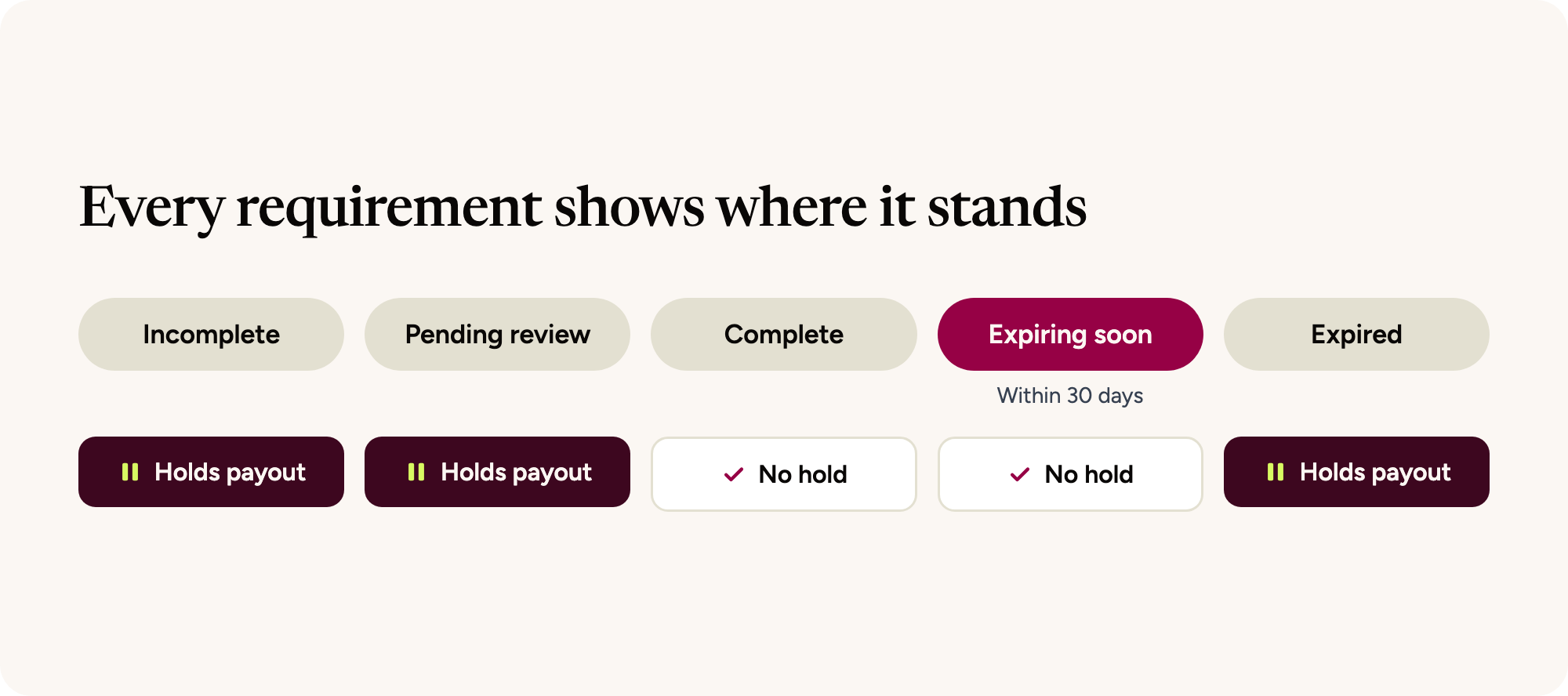
Set requirements by engagement
You decide which credentials each kind of work requires by adding them to an engagement. You can set up one engagement per role, location, client, or program. Each worker sees the requirements for the engagements they're assigned to, plus a few account-wide ones such as a tax form and payout method, and a worker who meets the requirements for one engagement isn't automatically cleared for another with different rules.
For Marcus, you set up an engagement called Remote counselor, Oregon telehealth program, with three requirements.
Review licenses and set how long they stay valid
If you turn on approvals for the license requirement, Marcus's upload goes to your team for review. You set how long an approved license stays valid. Wingspan opens the renewal 30 days before that date and reminds Marcus to upload a current license.
Track insurance before it lapses
For each insurance requirement, you define the policy type, coverage limits, and required endorsements. Wayfinder, Wingspan’s built-in suite of AI-enhanced intelligent features, checks each certificate of insurance against those rules, including the insured name, policy dates, and coverage limits. When a certificate fails a check, Wayfinder explains why, and the worker can upload a new one or send it to your team for review. Your team can override a result, and the checks Wayfinder ran and any override stay in the audit log.
Once a policy is verified, Wingspan saves it to the worker's Insurance Wallet, the list of insurance policies on their Wingspan profile, so when another engagement or client needs the same coverage, the worker can share that policy instead of uploading it again.
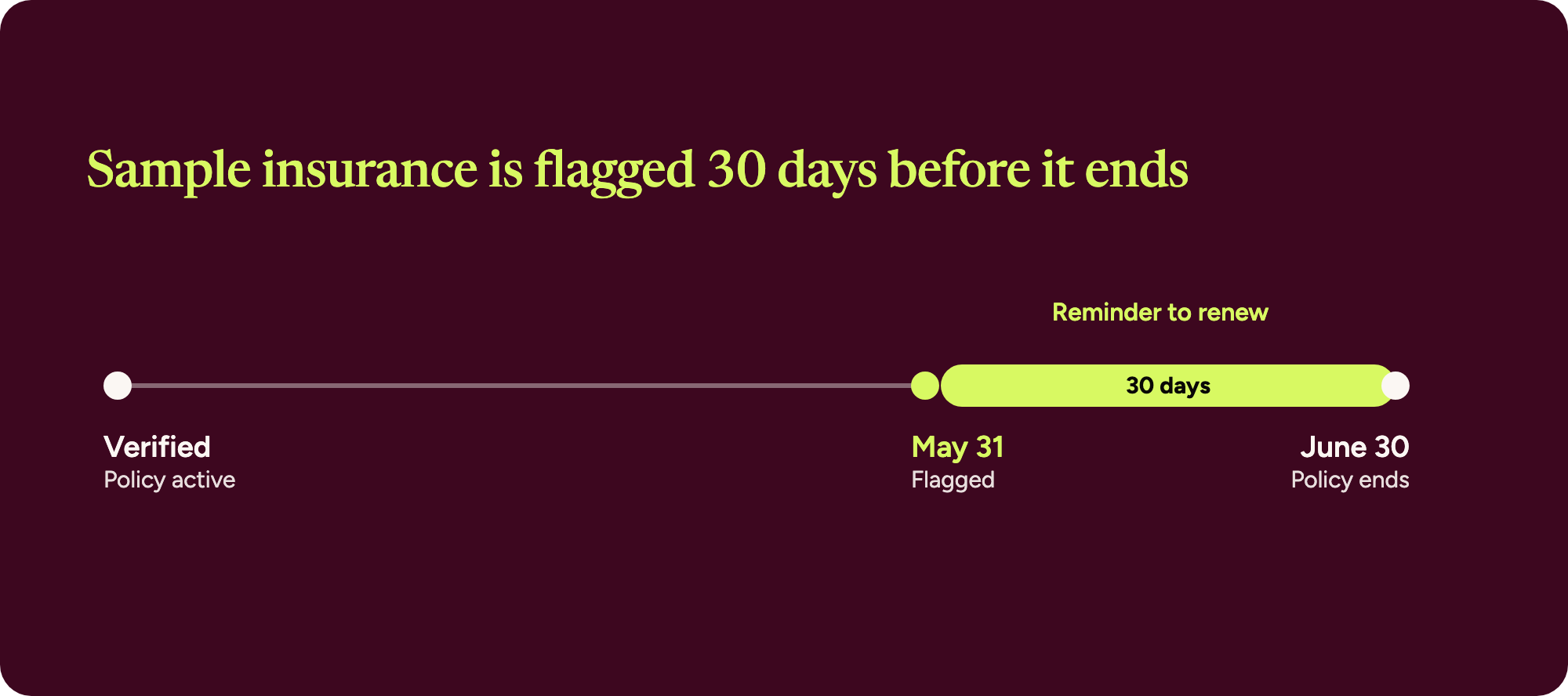
Wingspan then tracks the expiration date, flags the coverage 30 days before it ends, and reminds the worker to renew. If Marcus's policy ends on June 30, for example, Wingspan flags it on May 31.
Patriot Claims, a national network of claims inspectors working across 38 states, moved insurance tracking, background checks, and payments for its inspectors onto Wingspan. Its old system's reports listed coverage as yes or no, with no dates attached, so an inspector could show as covered on a policy that had lapsed weeks earlier. Each certificate is now tracked with its expiration date, and Patriot Claims saves 20 hours of administrative work a month managing inspectors (Patriot Claims customer story).
Renew background screenings on a schedule
Workers authorize background checks during onboarding, and the status updates automatically on the worker record, next to identity verification, agreements, licenses, insurance, and client requirements. For a screening that's valid for a set window, you choose how long a cleared check counts. Wingspan starts the renewal 30 days before it expires and reminds the worker to complete the new check.
Tie payment to a current record
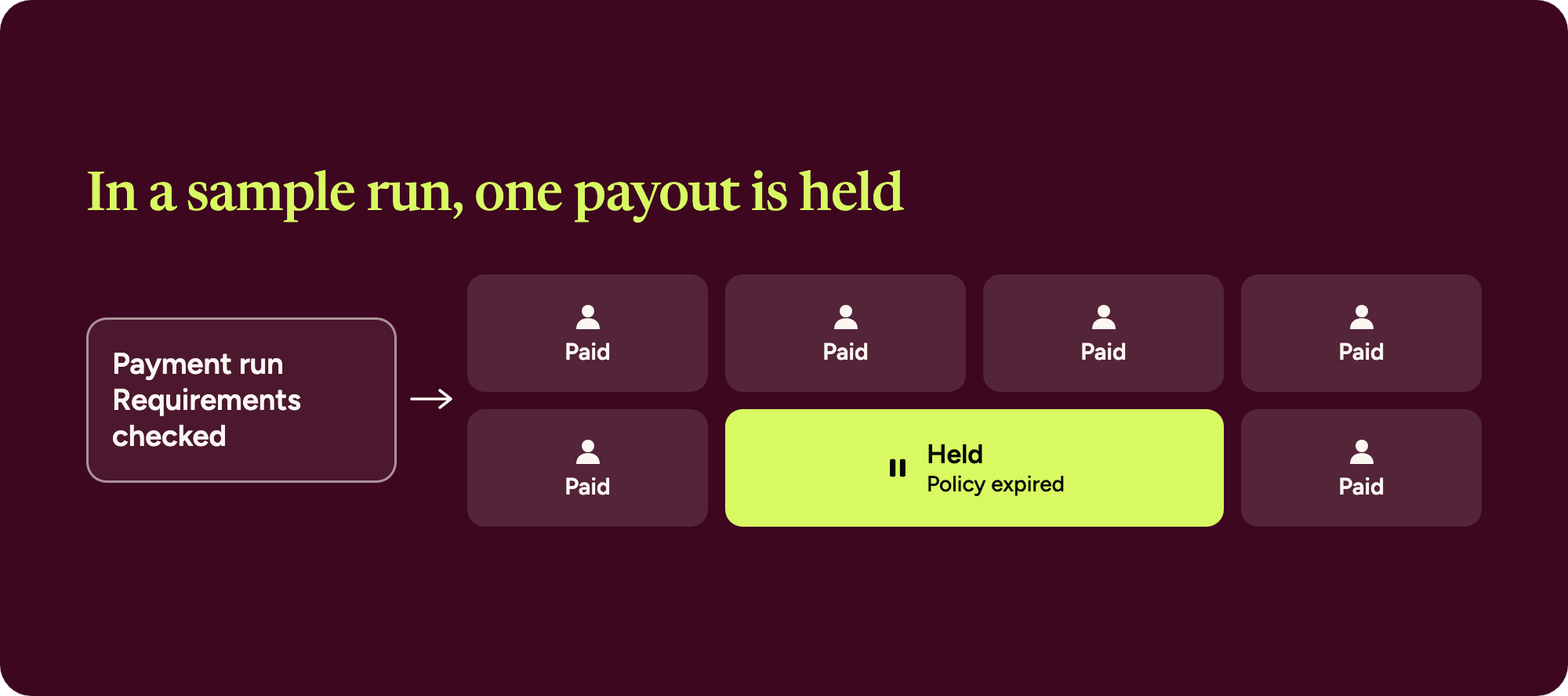
When a payment run goes out, Wingspan checks that each worker's requirements are complete and not expired, such as an active certificate of insurance behind an approved payable. If a requirement has expired, Wingspan holds that worker's payout and pays everyone else in the run, and your team can see which workers aren't eligible for payment and which requirement needs attention. Say Marcus's policy expires before the weekly run and Marcus hasn't uploaded a new certificate. Wingspan holds that payout and pays the network's other counselors as usual.
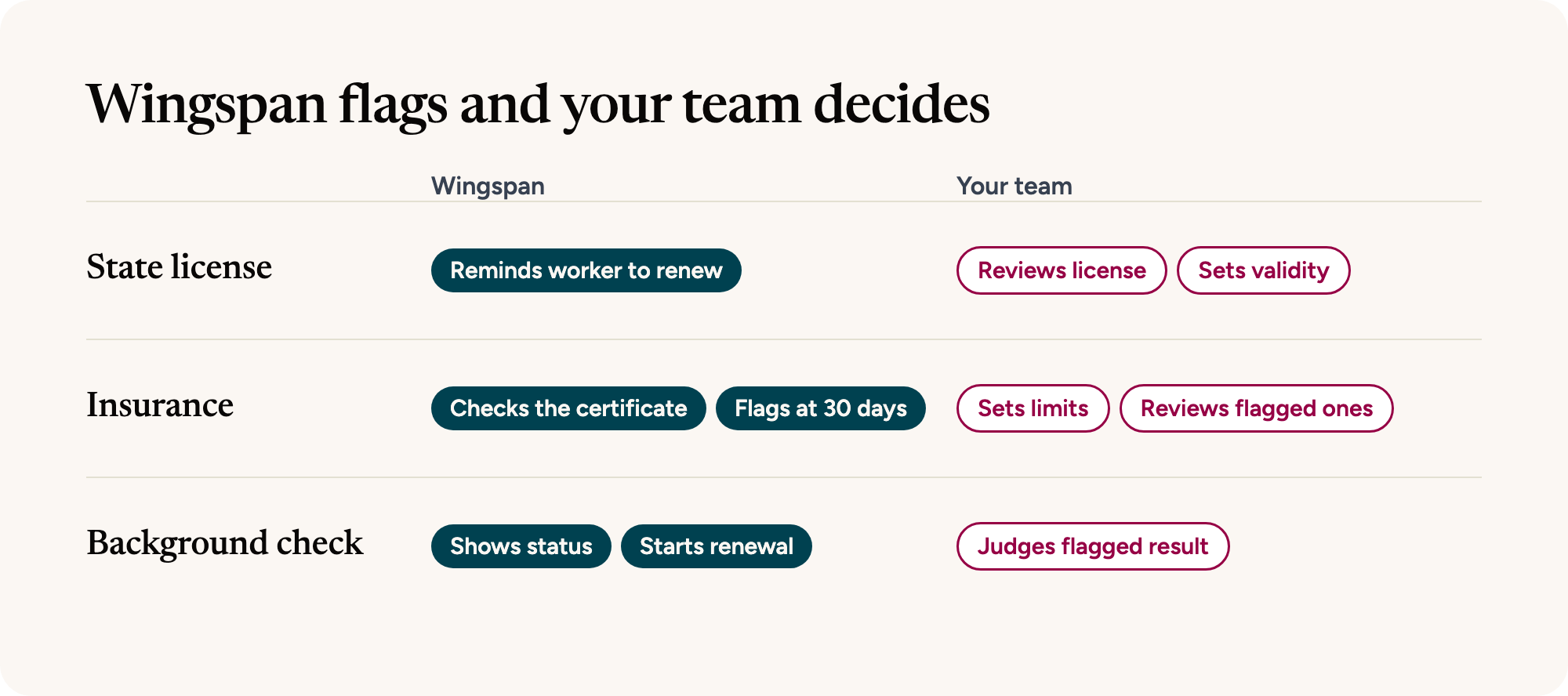
Wingspan flags; your team decides. Wayfinder clears certificates of insurance that meet your rules and explains what it flags. Your team decides which credentials each kind of work requires and what counts as acceptable, reviews licenses if you turn on approvals, handles any certificate Wayfinder can't clear, decides what a flagged background result means for the worker, and approves payment, including whether to override a requirement that lapses mid-engagement.
Background reports stay with the screening provider. Wingspan shows status on the worker record, and the full report stays in the provider's secure portal, limited to the team members you provision.
Is Wingspan contractor credentialing software? Wingspan tracks each credential your program requires and ties each one to onboarding and payment. Credentialing decisions, such as a committee review, follow your own policy. You can add a professional license check to your background check package for an added fee, require someone on your team to approve a requirement before it counts, or keep these steps in your credentialing process.
How does license renewal tracking work for healthcare contractors? Your team sets a validity period on the license requirement. Wingspan doesn't read the expiration date printed on the license, and the license requirement itself doesn't check the license with the issuing board (the professional license check you can add to a background check package is separate), so the period you choose decides when Wingspan asks the worker for a current license.
Credential tracking fits teams whose workers hold licenses, insurance, or screenings that expire, such as telehealth and behavioral health networks, claims and inspection firms, and home services. Requirement tracking, insurance verification, background checks, and Wayfinder are live in Wingspan today; see how they fit together on the worker verification page.
You can start before choosing any software by listing every credential your program requires, its renewal window, and what should happen to payment if it lapses. That list becomes your requirement rules.
See how Wingspan worker verification works
Walk through requirements, insurance checks, and background screenings on the worker verification page.
Some states are not like the others.